 Creator Tips
Building a Content Calendar That Actually Works
From scattered ideas to a structured publishing system using boards, calendars, and automation
Building a Content Calendar That Actually Works
Most content calendars fail. Not because the idea is bad -- planning content in advance is objectively a good practice -- but because the system breaks down within weeks. The spreadsheet gets abandoned. The Notion board becomes a graveyard of half-formed ideas. The calendar fills up with optimistic plans that never turn into published posts.
The problem is not discipline. It is infrastructure. A content calendar that works needs to be more than a list of dates and topics. It needs to connect the full lifecycle of content: from the initial spark of an idea, through creation and review, to scheduling and publishing.
This guide explains how to build that system using SwapFlow's Ideas board, Calendar view, workflow time slots, and team collaboration features -- with principles that apply regardless of the specific tool.
Why Content Calendars Fail
Before building a better system, it is worth understanding the common failure modes:
- Too ambitious: Planning 30 days of content in advance sounds productive but creates pressure that leads to abandonment when life gets in the way
- Wrong granularity: A calendar that only tracks "post topic" misses the stages of creation (writing, designing, reviewing, scheduling)
- No connection to publishing: The calendar exists in one tool, the publishing happens in another, and the two drift apart
- Solo tool for team workflows: When multiple people are involved, a personal spreadsheet cannot handle handoffs, approvals, and shared visibility
- No feedback loop: The calendar does not incorporate performance data, so the same content types get repeated regardless of results
A calendar that actually works addresses each of these failure points.
The Content Pillar Foundation
Before filling in any calendar, creators need a framework for what they will create. Content pillars provide that framework.
What Are Content Pillars?
Content pillars are 3-5 broad themes that all content falls under. They ensure variety while maintaining brand coherence. For example, a fitness creator might use:
- Workouts -- Exercise demonstrations, routines, challenges
- Nutrition -- Meal prep, recipes, supplement reviews
- Mindset -- Motivation, habit building, mental health
- Behind the Scenes -- Day in the life, gym setup, personal stories
- Community -- Q&A, follower transformations, challenges
Why Pillars Matter for Calendars
Without pillars, content calendars tend toward one of two extremes: either the creator posts the same type of content repeatedly (because it is comfortable) or they post randomly with no thematic coherence (because they chase whatever is trending).
Pillars solve both problems. A simple rule like "each pillar gets at least one post per week" creates built-in variety and makes planning dramatically easier. Instead of staring at a blank calendar asking "what should I post?", the question becomes "which pillar needs a post this week?"
Setting Up Pillars in SwapFlow
SwapFlow's Ideas board supports labels that map directly to content pillars. Create a label for each pillar (color-coded for visual clarity), and tag every idea with its corresponding pillar. The board can then be filtered by label to see how well-distributed the content plan is across pillars.
Phase 1: Capturing Ideas
The first stage of any content calendar is having enough raw material to work with. Most creators have ideas throughout the day -- during commutes, while consuming other content, in conversations -- but lose them because there is no frictionless capture system.
The Ideas Board as an Inbox
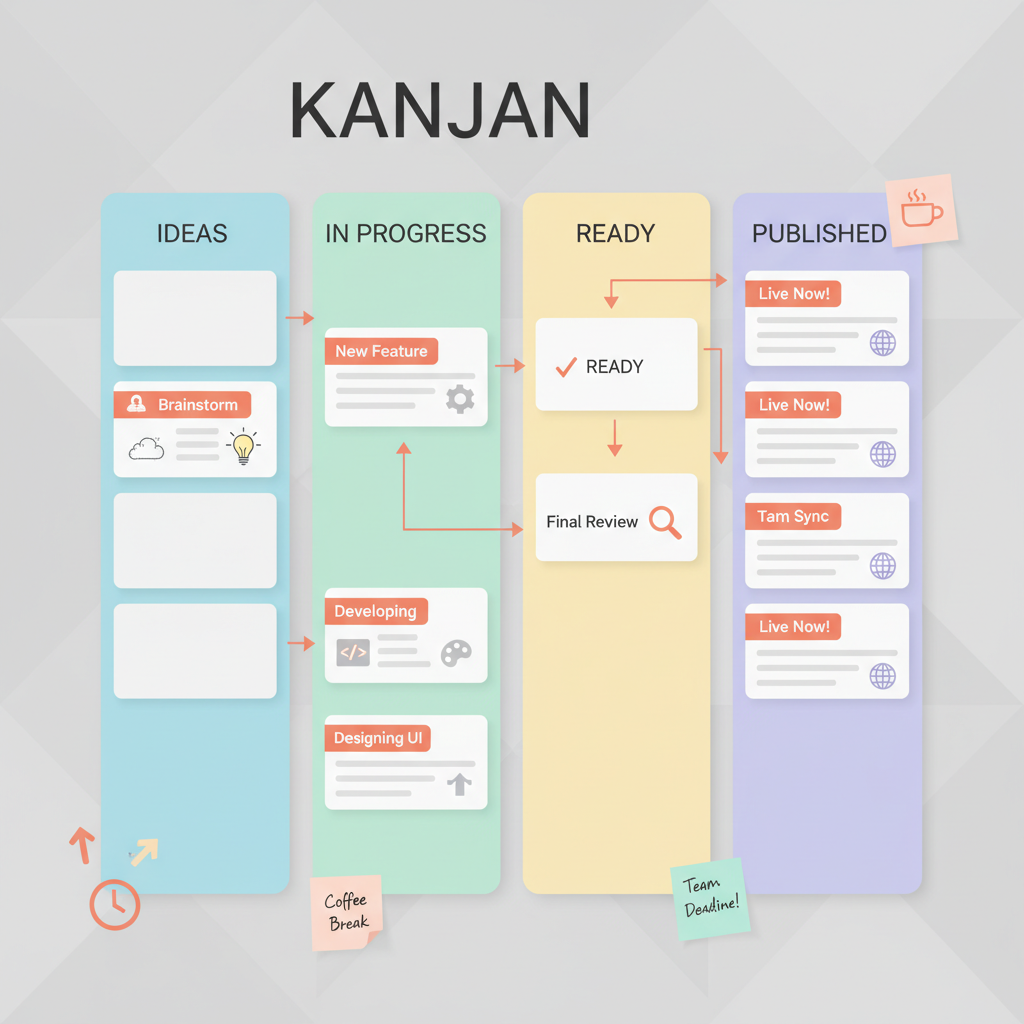
SwapFlow's Ideas board functions as a Kanban-style board with customizable columns. The recommended starting setup uses four columns:
| Column | Purpose |
|---|---|
| Ideas | Raw, unfiltered ideas. No judgment, no editing. Just capture. |
| In Progress | Ideas currently being developed into content |
| Ready to Publish | Fully created content waiting to be scheduled |
| Published | Content that has gone live (for reference and analysis) |
The Ideas column is the inbox. Anything goes here -- a one-line concept, a link to a trending topic, a screenshot of an inspiring post, a voice memo transcription. The only rule is that nothing gets filtered out at the capture stage. Filtering happens later.
Batch Capture Sessions
In addition to capturing ideas throughout the day, a weekly 15-minute "idea dump" session is valuable. Set a timer, open the Ideas board, and add every content concept that comes to mind. Quantity over quality at this stage. A creator who has 30 raw ideas in the Ideas column will never struggle to fill a weekly calendar.
Team Idea Contribution
For teams using SwapFlow's workspace features, every team member can add ideas to the shared board. A social media manager, a designer, and a brand strategist might each contribute ideas from their unique perspectives. The shared Ideas column becomes the team's collective creative brain.
Phase 2: Weekly Planning
Raw ideas become a content plan through a weekly planning ritual. This should take 30-45 minutes and happen on the same day each week (Friday afternoon or Monday morning are the most common choices).
The Weekly Planning Process
Step 1: Review the Ideas column. Scan through all captured ideas and star the strongest 5-10 for the coming week.
Step 2: Check pillar balance. Use label filters to ensure the selected ideas cover at least 3-4 different pillars. If all the best ideas are "Workouts," swap one for a "Mindset" or "Behind the Scenes" idea.
Step 3: Move selected ideas to In Progress. Drag them from the Ideas column to In Progress. This signals to the team (or to a solo creator's future self) that these are the priorities for the week.
Step 4: Assign and set deadlines. In team workspaces, assign each card to the person responsible for creating it. Set a target date for when it should move to "Ready to Publish."
Step 5: Check the calendar. Open SwapFlow's Calendar view in the Publish section to see existing scheduled posts. Identify gaps and align the new ideas to fill them.
Phase 3: The Calendar View
Once content moves to "Ready to Publish," it needs a time and a platform. This is where the Calendar view becomes the operational center.
SwapFlow's Calendar View
The Publish section in SwapFlow includes a calendar view that displays all scheduled posts across all connected platforms. Each day shows:
- What content is scheduled
- Which platform(s) it targets
- The posting time
- The current status (scheduled, published, failed)
This bird's-eye view makes it easy to spot problems before they happen:
- Gaps: No content scheduled for Thursday? Pull something from the Ready to Publish column.
- Clusters: Three posts scheduled at the same time on the same platform? Spread them out.
- Pillar imbalance: Five workout posts in a row? Swap one for a different pillar.
- Platform neglect: LinkedIn has no posts scheduled for two weeks? Repurpose an existing piece.
Monthly vs. Weekly Calendar Views
The calendar supports both monthly and weekly views. The monthly view is best for high-level planning -- seeing the overall content distribution and identifying gaps. The weekly view is better for day-to-day operations -- confirming that tomorrow's content is ready, reviewing captions, and making last-minute adjustments.
Phase 4: Workflow Time Slots
The most powerful feature for calendar consistency is SwapFlow's workflow time slots. Instead of manually scheduling every post, creators define recurring slots that automatically queue content.
How Time Slots Work
A time slot is a recurring appointment for content. For example:
- TikTok: Tuesday, Thursday, Saturday at 9:00 AM
- Instagram Reels: Monday, Wednesday, Friday at 12:00 PM
- LinkedIn: Tuesday, Thursday at 8:00 AM
- Twitter/X: Daily at 10:00 AM and 2:00 PM
When a piece of content is marked as ready and assigned to a platform, it drops into the next available time slot for that platform. The creator does not need to pick a specific date and time -- the system handles it based on the pre-configured schedule.
Benefits of Time Slots
- Consistency: Posts go out at the same times every week, which trains the audience to expect content and signals reliability to algorithms
- No decision fatigue: The "when" is already decided. The creator only needs to decide "what"
- Buffer management: If time slots are set for three posts per week but only two pieces of content are ready, the gap is immediately visible in the calendar
- Optimal timing: Time slots can be set to the best posting times for each platform (see the companion guide on posting times)
Phase 5: Team Collaboration
Content calendars become significantly more complex -- and more powerful -- when multiple people are involved. SwapFlow's workspace features address the coordination challenges.
Assigning Ideas
Every idea card on the board can be assigned to a team member. This creates clear ownership: someone is responsible for moving that idea from concept to published content. Without assignment, ideas languish because everyone assumes someone else is handling them.
Shared Visibility
All team members in a SwapFlow workspace see the same Ideas board, the same Calendar view, and the same workflow queues. There is no "I didn't know that was scheduled" or "I thought you were doing that post." Shared visibility eliminates the communication overhead that bogs down content teams.
Review Workflows
For teams that require approval before publishing, the Kanban board naturally supports a review stage. Add a "Needs Review" column between "In Progress" and "Ready to Publish." Content moves from In Progress to Needs Review when the creator is done, then a reviewer either moves it to Ready to Publish (approved) or back to In Progress (needs revisions) with a comment explaining what to change.
Workspace Roles
SwapFlow workspaces support different permission levels, allowing teams to control who can publish, who can create, and who can only view. This prevents accidental publishing while keeping everyone informed.
Putting It All Together: A Sample Weekly Rhythm
Here is what a functional content calendar workflow looks like in practice for a small team:
Friday Afternoon (30 minutes)
- Review performance of the past week's content across platforms
- Capture any remaining ideas from the week into the Ideas column
- Select 7-10 ideas for the following week
- Assign each idea to a team member
- Move assigned ideas to In Progress
Monday - Wednesday (Creation)
- Team members create their assigned content
- Completed content moves to "Needs Review" or "Ready to Publish"
- Captions are written using the Compose Post tool for each target platform
Thursday (Quality Check)
- Review all content in the Ready to Publish queue
- Verify the Calendar view shows no gaps or clusters
- Confirm captions are platform-appropriate
- Schedule anything that has not been auto-queued by time slots
Ongoing
- Capture new ideas as they arise throughout the week
- Monitor published content performance
- Adjust the following week's plan based on what performed well
Labels and Filtering for Organization
As the Ideas board grows over weeks and months, organization becomes critical. SwapFlow's label system provides the structure.
Recommended Labels
Beyond content pillars, consider adding labels for:
- Platform: TikTok, Instagram, YouTube, LinkedIn, etc.
- Content type: Tutorial, behind-the-scenes, trending, evergreen, promotional
- Priority: High, medium, low
- Status: Needs research, needs assets, needs caption, ready
Filtering in Practice
With labels applied, the board becomes a powerful planning tool:
- Filter by "TikTok" + "Evergreen" to find content that can be scheduled any time
- Filter by "High Priority" + "Ideas" to identify the most promising unused concepts
- Filter by a team member's name to see their current workload
- Filter by content pillar to check distribution balance
The Minimum Viable Calendar
Not every creator needs the full system described above. For solo creators just starting out, the minimum viable content calendar has three components:
- An Ideas column where every content idea gets captured (SwapFlow's Ideas board)
- A posting schedule with recurring time slots for 1-2 primary platforms (SwapFlow's workflow time slots)
- A weekly 15-minute planning session to move the best ideas into production
That is it. Start there, and add complexity only when the simple system is running consistently. A three-component calendar that is used every week will outperform a sophisticated 10-component system that gets abandoned after a month.
The content calendar is not the goal. Publishing great content consistently is the goal. The calendar is just the infrastructure that makes consistency possible.
Ready to build a content calendar that keeps working? Sign up for SwapFlow and start organizing ideas, scheduling posts, and collaborating with your team from one platform.